> ## Documentation Index
> Fetch the complete documentation index at: https://developers.partoo.co/llms.txt
> Use this file to discover all available pages before exploring further.
# Coordinates
> Learn how GPS coordinates work for businesses in the Partoo API and how they're handled across different platforms.
## Overview
GPS coordinates in Partoo are critical for accurate business location representation across platforms like *Google Business Profile*, *Apple Maps*, and other location services. Understanding how coordinates are handled helps ensure proper location data management.
## Coordinate Fields
Business coordinates are managed through two main fields in the API:
| Field | Type | Description |
| ------ | ------------------ | -------------------------------------- |
| `lat` | `number` \| `null` | Latitude coordinate (decimal degrees) |
| `long` | `number` \| `null` | Longitude coordinate (decimal degrees) |
Decimal coordinates should use dots (.) as separators, not commas. Example:
`47.870341`, not `47,870341`.
## Coordinate Behavior
The way coordinates are handled depends on how the business is created and whether GPS data is provided:
### When GPS Coordinates Are Provided
If you provide GPS coordinates when:
* Creating a business
* Updating an existing business
**Result**: The provided coordinates are:
* ✅ Stored in Partoo's database
* ✅ Sent to *Google Business Profile*
* ✅ Returned via API responses
### When GPS Coordinates Are Not Provided
If you don't provide GPS coordinates via the API:
**Result**:
* ❌ No coordinate data is sent from Partoo to *Google Business Profile*
* ✅ *Google Business Profile* automatically generate coordinates based on the business address, which we save for each business
* ✅ Auto-generated coordinates are returned in API responses
* ⚠️ Auto-generated coordinates may not be perfectly accurate
Auto-generated coordinates are computed based on the business address. While
generally accurate, they may not represent the exact entrance or specific
location within a building.
## Updating the Coordinates in the App
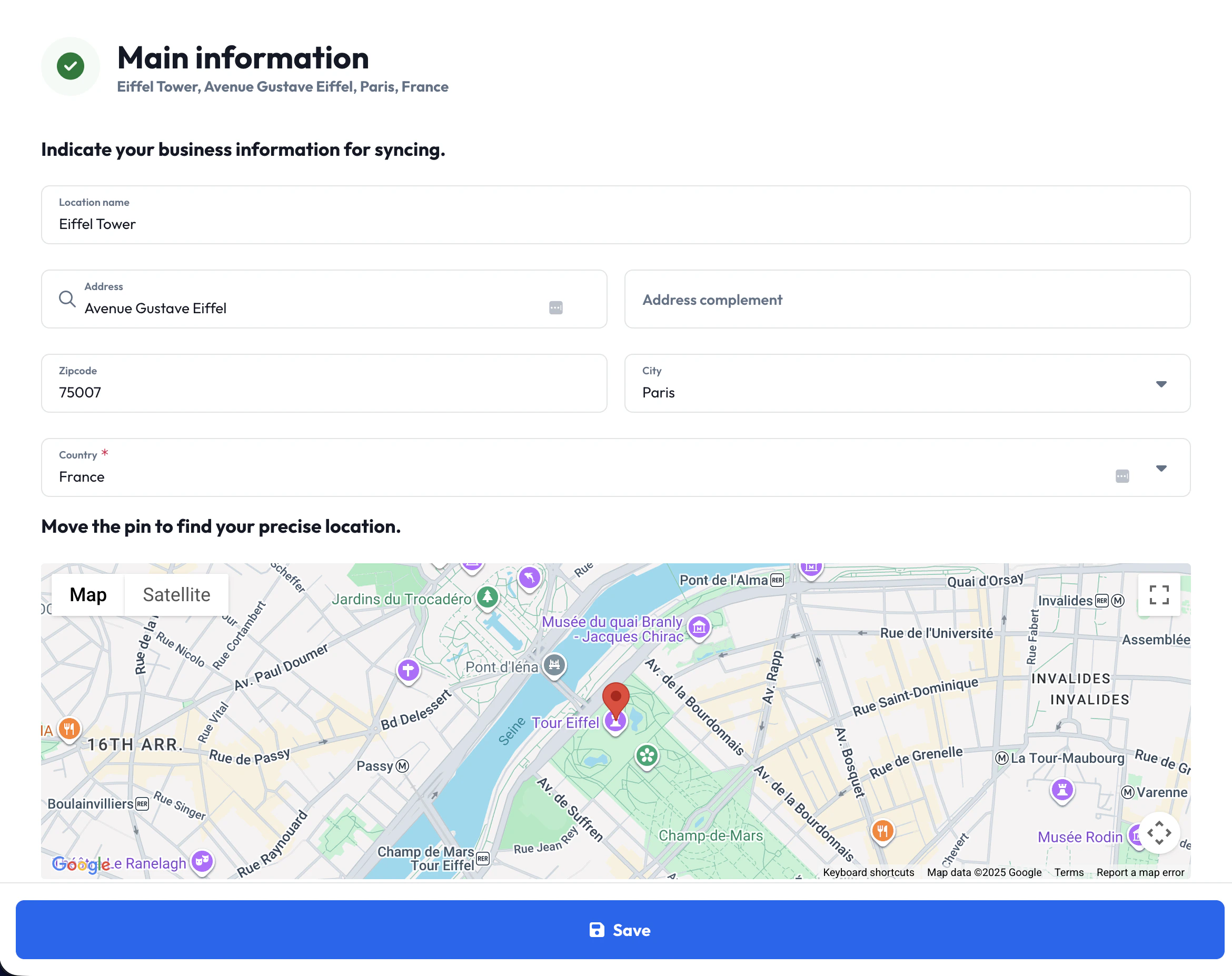
You can also update business coordinates directly in the Partoo app.
Navigate to the business page for the business you want to update, and click on your business address, which in turn opens a form where you can edit your address, as well as your GPS coordinates.
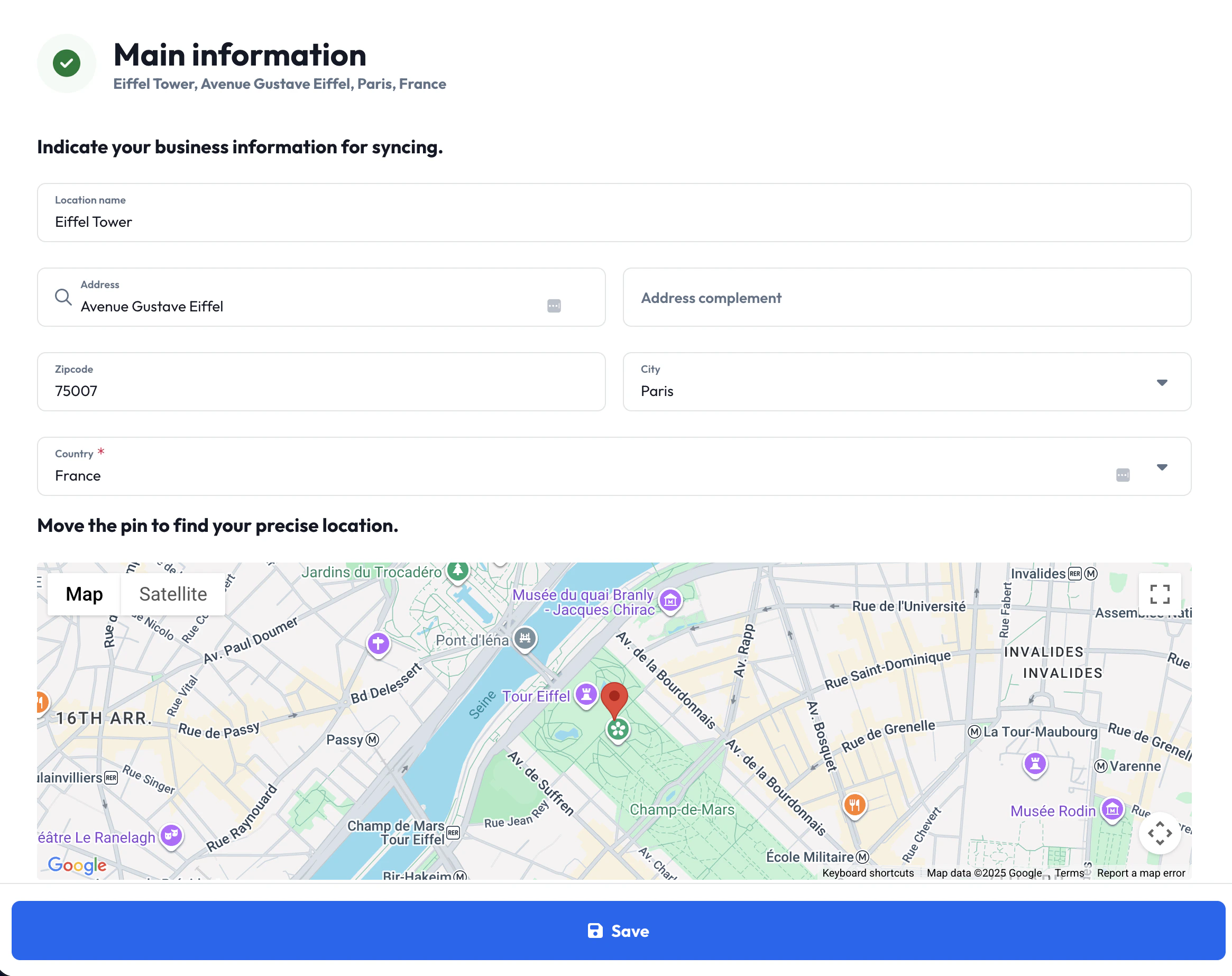 To update the coordinates on this page, simple drag and drop the map pin to the correct
location, and save your changes.
To update the coordinates on this page, simple drag and drop the map pin to the correct
location, and save your changes.
 ## REST API Examples
### Creating a Business with Coordinates
When creating a business, include the `lat` and `long` fields:
```bash cURL theme={null}
curl -X POST 'https://api.partoo.co/v2/business' \
-H 'x-APIKey: YOUR_API_KEY' \
-H 'Content-Type: application/json' \
-d '{
"name": "Downtown Coffee Shop",
"address_full": "123 Main Street, Springfield, IL",
"city": "Springfield",
"zipcode": "62701",
"country": "US",
"lat": 39.7817,
"long": -89.6501,
"categories": ["gcid:coffee_shop"]
}'
```
```python Python theme={null}
import requests
response = requests.post(
'https://api.partoo.co/v2/business',
headers={
'x-APIKey': 'YOUR_API_KEY',
'Content-Type': 'application/json'
},
json={
'name': 'Downtown Coffee Shop',
'address_full': '123 Main Street, Springfield, IL',
'city': 'Springfield',
'zipcode': '62701',
'country': 'US',
'lat': 39.7817,
'long': -89.6501,
'categories': ['gcid:coffee_shop']
}
)
```
```javascript Node.js theme={null}
const response = await fetch("https://api.partoo.co/v2/business", {
method: "POST",
headers: {
"x-APIKey": "YOUR_API_KEY",
"Content-Type": "application/json",
},
body: JSON.stringify({
name: "Downtown Coffee Shop",
address_full: "123 Main Street, Springfield, IL",
city: "Springfield",
zipcode: "62701",
country: "US",
lat: 39.7817,
long: -89.6501,
categories: ["gcid:coffee_shop"],
}),
});
```
### Updating Business Coordinates
You can update coordinates for an existing business:
```bash cURL theme={null}
curl -X POST 'https://api.partoo.co/v2/business/5409c35a97bbc544d8e26737' \
-H 'x-APIKey: YOUR_API_KEY' \
-H 'Content-Type: application/json' \
-d '{
"lat": 39.7825,
"long": -89.6495
}'
```
```python Python theme={null}
import requests
response = requests.post(
'https://api.partoo.co/v2/business/5409c35a97bbc544d8e26737',
headers={
'x-APIKey': 'YOUR_API_KEY',
'Content-Type': 'application/json'
},
json={
'lat': 39.7825,
'long': -89.6495
}
)
```
```javascript Node.js theme={null}
const response = await fetch(
"https://api.partoo.co/v2/business/5409c35a97bbc544d8e26737",
{
method: "POST",
headers: {
"x-APIKey": "YOUR_API_KEY",
"Content-Type": "application/json",
},
body: JSON.stringify({
lat: 39.7825,
long: -89.6495,
}),
}
);
```
### Retrieving Business Coordinates
When fetching business information, coordinates are included in the response:
```bash cURL theme={null}
curl -X GET 'https://api.partoo.co/v2/business/5409c35a97bbc544d8e26737' \
-H 'x-APIKey: YOUR_API_KEY'
```
```python Python theme={null}
import requests
response = requests.get(
'https://api.partoo.co/v2/business/5409c35a97bbc544d8e26737',
headers={'x-APIKey': 'YOUR_API_KEY'}
)
data = response.json()
latitude = data.get('lat')
longitude = data.get('long')
```
```javascript Node.js theme={null}
const response = await fetch(
"https://api.partoo.co/v2/business/5409c35a97bbc544d8e26737",
{
headers: {
"x-APIKey": "YOUR_API_KEY",
},
}
);
const data = await response.json();
const latitude = data.lat;
const longitude = data.long;
```
**Response structure:**
```json theme={null}
{
"id": "5409c35a97bbc544d8e26737",
"name": "Downtown Coffee Shop",
"address_full": "123 Main Street, Springfield, IL",
"city": "Springfield",
"lat": 39.7817,
"long": -89.6501
// ... other business fields
}
```
## Related Endpoints
* [Create Business](/api-reference/businesses/create-business) (`POST /v2/business`)
* [Update Business](/api-reference/businesses/update-business) (`POST /v2/business/{business_id}`)
* [Get Business](/api-reference/businesses/business-information) (`GET /v2/business/{business_id}`)
## REST API Examples
### Creating a Business with Coordinates
When creating a business, include the `lat` and `long` fields:
```bash cURL theme={null}
curl -X POST 'https://api.partoo.co/v2/business' \
-H 'x-APIKey: YOUR_API_KEY' \
-H 'Content-Type: application/json' \
-d '{
"name": "Downtown Coffee Shop",
"address_full": "123 Main Street, Springfield, IL",
"city": "Springfield",
"zipcode": "62701",
"country": "US",
"lat": 39.7817,
"long": -89.6501,
"categories": ["gcid:coffee_shop"]
}'
```
```python Python theme={null}
import requests
response = requests.post(
'https://api.partoo.co/v2/business',
headers={
'x-APIKey': 'YOUR_API_KEY',
'Content-Type': 'application/json'
},
json={
'name': 'Downtown Coffee Shop',
'address_full': '123 Main Street, Springfield, IL',
'city': 'Springfield',
'zipcode': '62701',
'country': 'US',
'lat': 39.7817,
'long': -89.6501,
'categories': ['gcid:coffee_shop']
}
)
```
```javascript Node.js theme={null}
const response = await fetch("https://api.partoo.co/v2/business", {
method: "POST",
headers: {
"x-APIKey": "YOUR_API_KEY",
"Content-Type": "application/json",
},
body: JSON.stringify({
name: "Downtown Coffee Shop",
address_full: "123 Main Street, Springfield, IL",
city: "Springfield",
zipcode: "62701",
country: "US",
lat: 39.7817,
long: -89.6501,
categories: ["gcid:coffee_shop"],
}),
});
```
### Updating Business Coordinates
You can update coordinates for an existing business:
```bash cURL theme={null}
curl -X POST 'https://api.partoo.co/v2/business/5409c35a97bbc544d8e26737' \
-H 'x-APIKey: YOUR_API_KEY' \
-H 'Content-Type: application/json' \
-d '{
"lat": 39.7825,
"long": -89.6495
}'
```
```python Python theme={null}
import requests
response = requests.post(
'https://api.partoo.co/v2/business/5409c35a97bbc544d8e26737',
headers={
'x-APIKey': 'YOUR_API_KEY',
'Content-Type': 'application/json'
},
json={
'lat': 39.7825,
'long': -89.6495
}
)
```
```javascript Node.js theme={null}
const response = await fetch(
"https://api.partoo.co/v2/business/5409c35a97bbc544d8e26737",
{
method: "POST",
headers: {
"x-APIKey": "YOUR_API_KEY",
"Content-Type": "application/json",
},
body: JSON.stringify({
lat: 39.7825,
long: -89.6495,
}),
}
);
```
### Retrieving Business Coordinates
When fetching business information, coordinates are included in the response:
```bash cURL theme={null}
curl -X GET 'https://api.partoo.co/v2/business/5409c35a97bbc544d8e26737' \
-H 'x-APIKey: YOUR_API_KEY'
```
```python Python theme={null}
import requests
response = requests.get(
'https://api.partoo.co/v2/business/5409c35a97bbc544d8e26737',
headers={'x-APIKey': 'YOUR_API_KEY'}
)
data = response.json()
latitude = data.get('lat')
longitude = data.get('long')
```
```javascript Node.js theme={null}
const response = await fetch(
"https://api.partoo.co/v2/business/5409c35a97bbc544d8e26737",
{
headers: {
"x-APIKey": "YOUR_API_KEY",
},
}
);
const data = await response.json();
const latitude = data.lat;
const longitude = data.long;
```
**Response structure:**
```json theme={null}
{
"id": "5409c35a97bbc544d8e26737",
"name": "Downtown Coffee Shop",
"address_full": "123 Main Street, Springfield, IL",
"city": "Springfield",
"lat": 39.7817,
"long": -89.6501
// ... other business fields
}
```
## Related Endpoints
* [Create Business](/api-reference/businesses/create-business) (`POST /v2/business`)
* [Update Business](/api-reference/businesses/update-business) (`POST /v2/business/{business_id}`)
* [Get Business](/api-reference/businesses/business-information) (`GET /v2/business/{business_id}`)