Connect your Identity Provider to Partoo using metadata or .well-known URL
1
Open the configuration page
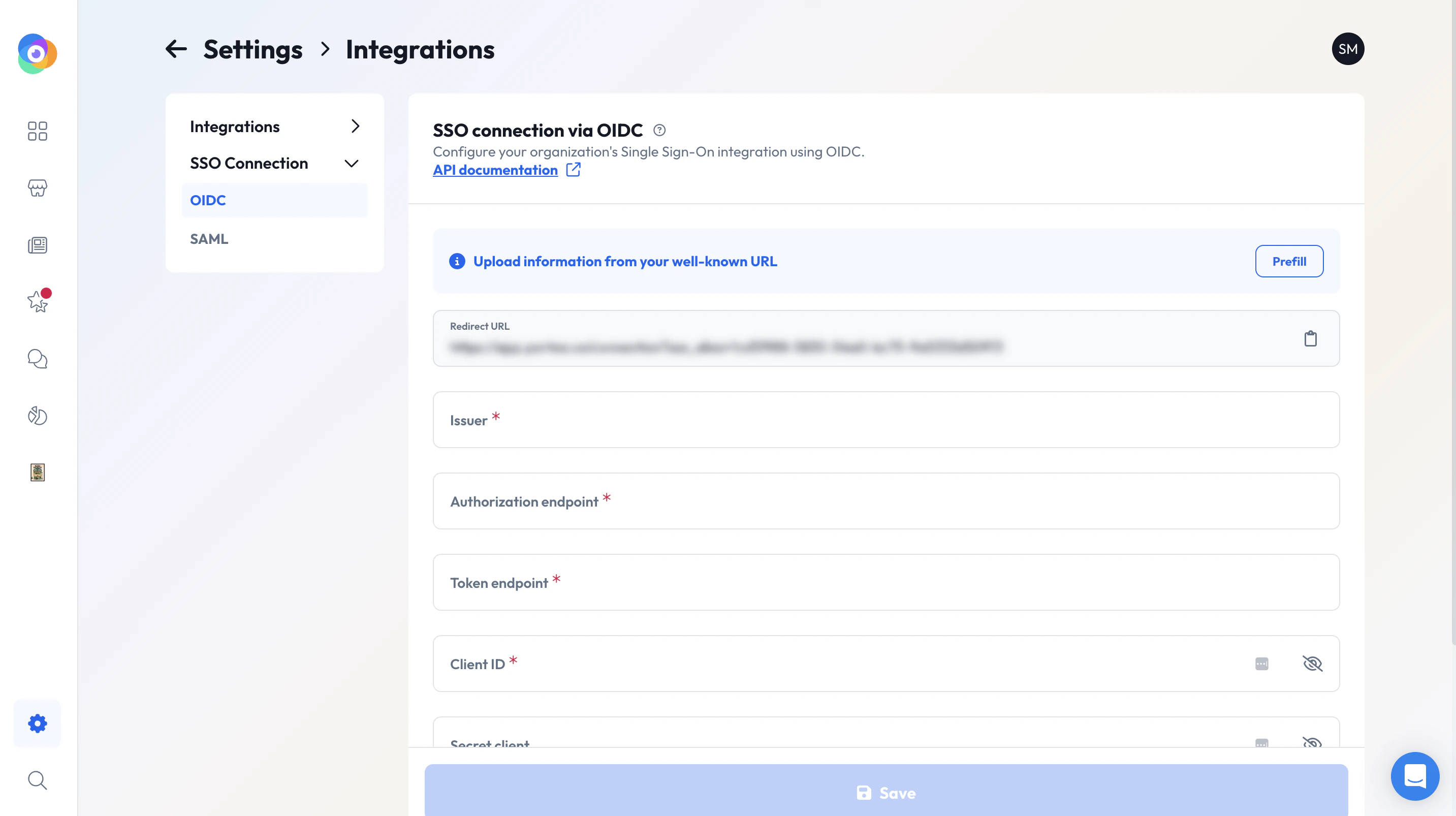
Go to the SSO setup page in the Partoo app.Example: https://app.partoo.co/settings/integrations/sso/{sso-type}
SSO configuration page in the Partoo app
2
Prefill the configuration from your IdP
Use one of the following methods:
SAML
OIDC
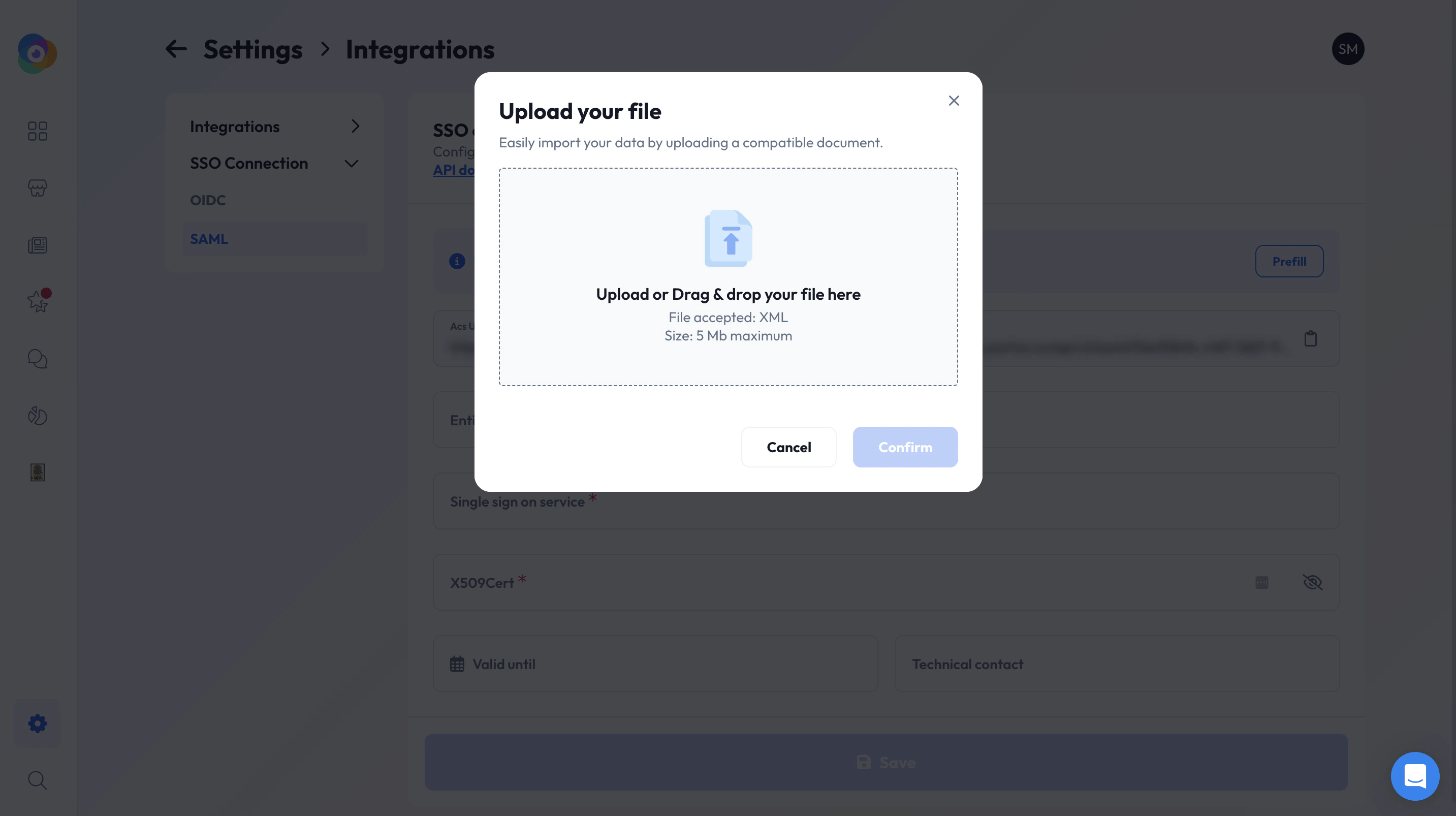
Click on Prefill and upload your metadata.xml file.Or manually enter:
Entity ID
Single Sign-On URL
X.509 certificate
Prefill SAML configuration in Partoo
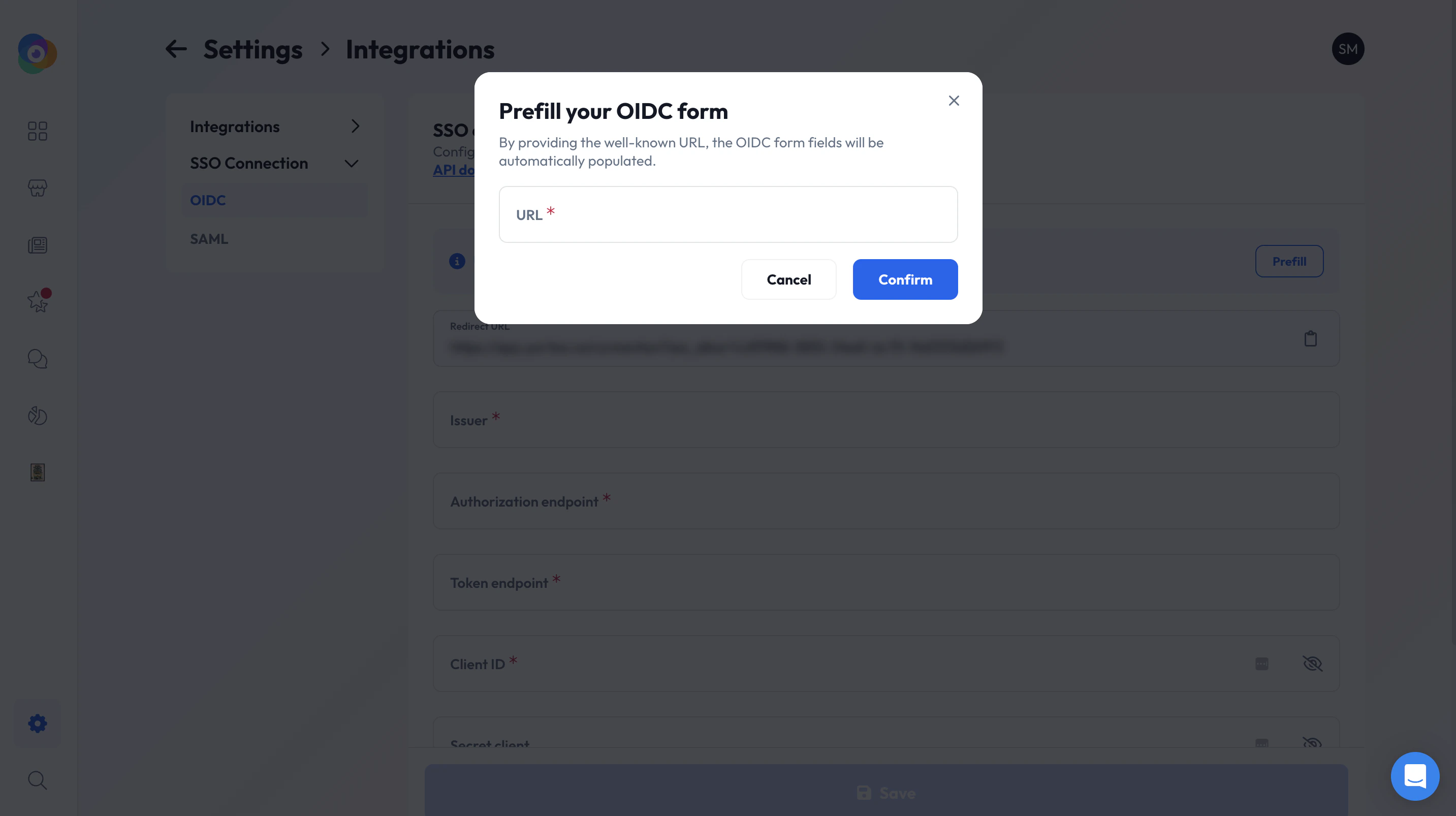
Click on Prefill and enter your .well-known URL.Or manually enter:
Issuer
Authorization endpoint
Token endpoint
JWKS URI
You’ll also need to enter your client_id and optionally a client_secret.
Prefill OIDC configuration in Partoo
3
Set optional fields
Technical contact email
Expiration date of your certificate or configuration
4
Enable the configuration
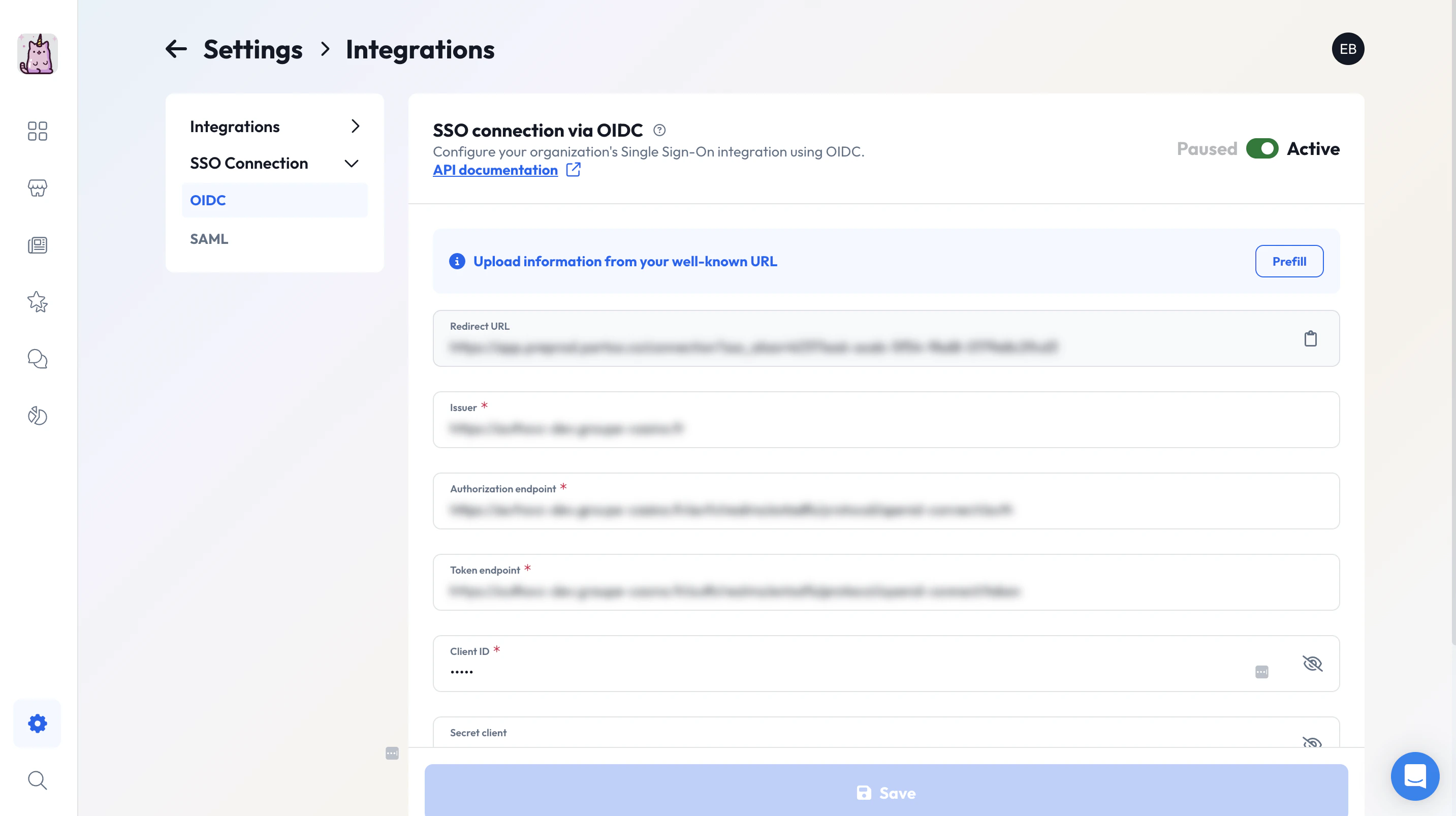
Toggle the activation switch at the top-right of the page.
If you forget this step, the connection won’t be usable even if correctly configured.
You cannot configure both SAML and OIDC single sign-on (SSO) simultaneously.
Please choose either SAML or OIDC for your SSO setup to avoid configuration conflicts.
Activate SSO config
Was this page helpful?
Assistant
Responses are generated using AI and may contain mistakes.